Ask a question. Scout finds the answer and shows you where it looked.
An AI data analyst I built from scratch, so anyone can ask the data a question and check the answer for themselves.
- Year
- 2026
- Category
- AI
- Stack
- Next.js · TypeScript · SQLite · OpenAI
01 · The problem
Waiting on analysts, or trusting a black box.
Most people can’t query the data themselves, so every question becomes a request and a wait. The analysts who answer them become the bottleneck, and simple questions sit in a queue behind hard ones.
AI chat tools promise instant answers, but they don’t know which tables matter or what a metric means in your business. They answer confidently either way, and you can’t tell which answers to trust.
02 · What Scout does
Plain-English questions, answers you can check.
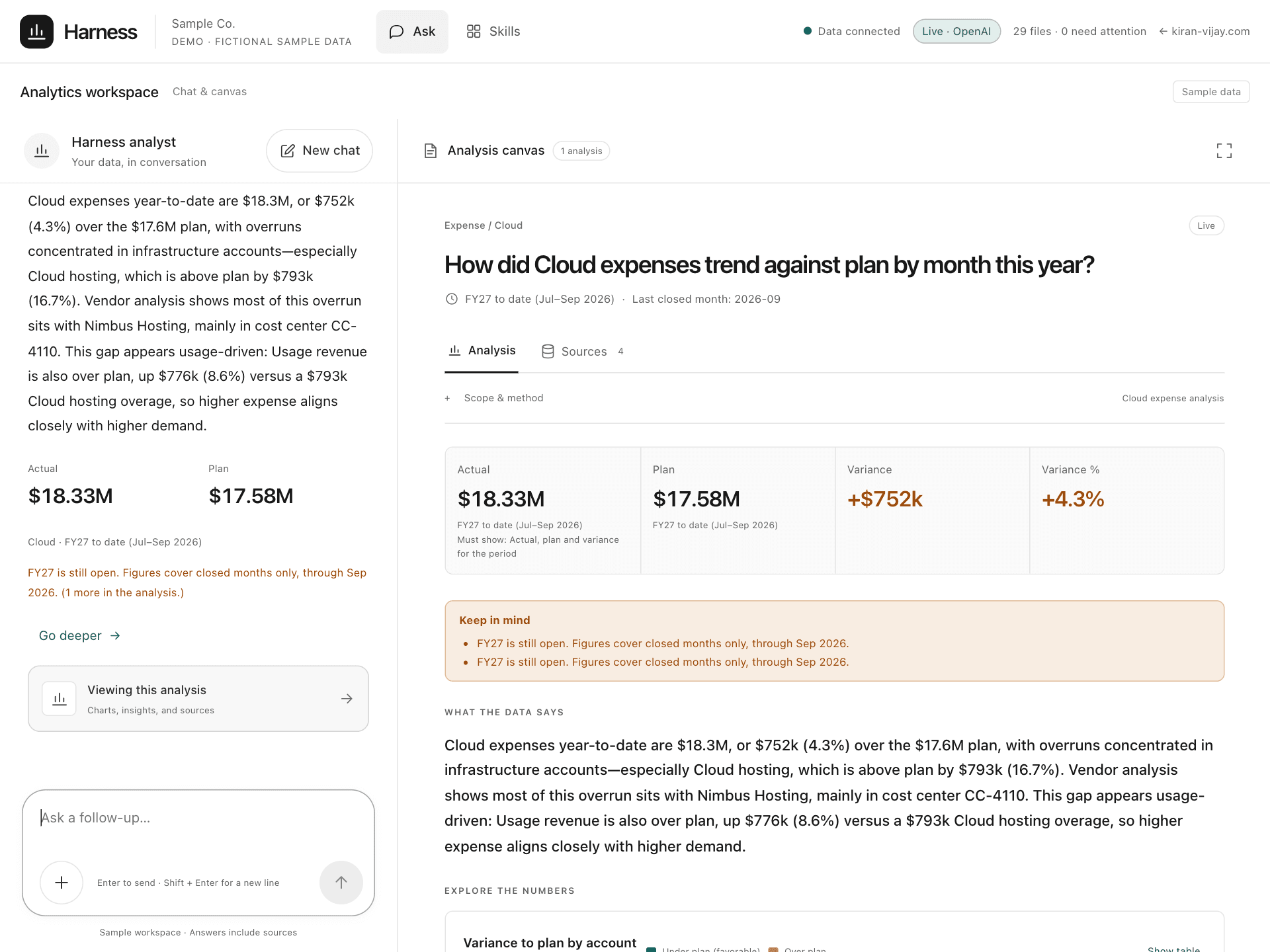
Ask Scout a business question the way you would ask a colleague. It finds the right data, runs the numbers and answers with the key figures, charts and a short written explanation, plus a “Where it looked” strip on every answer.
The public demo runs on a fictional sample company with Cloud and Retail businesses, is read-only and has a daily limit.
03 · Why you can trust it
Every answer shows its working.
Numbers come from checked queries
Code runs every query and checks it before it touches the data. The AI model writes the explanation; it never makes up a figure.
It shows where it looked
Every answer says which tables it read, which definitions it used and why it picked them, with the query itself one click away.
One meaning per metric
Terms like “expense vs plan” are defined once and reused everywhere, so the same question always means the same thing.
It asks instead of guessing
When a question could mean two things, Scout asks which one you meant rather than quietly picking one.
04 · Under the hood: the harness
The AI model is the engine; the harness is everything around it.
Scout’s harness is the code that decides what the model sees, what it is allowed to do and how its work gets checked. Business knowledge lives in small markdown files: tables, metric definitions and “skills” that describe how to answer a kind of question. For each question the harness loads only the files it needs, so a large knowledge base costs little to route through.
01
Question
A business question in plain English.
02
Skill loading
Code picks the one skill and the few files the question needs. The model only breaks ties.
03
Query generation
Each query is built from the skill’s plan and the table’s documented columns.
04
Validation
A guard allows one SELECT on one loaded table, with no joins, before anything runs.
05
Answer + sources
KPIs, charts and a written answer, with the skill, tables and queries behind it.
The data comes back first; then one model call writes the narrative and picks the views. If its plan fails the checks, one repair call gets a second try, and anything still failing falls back to the skill’s default views with a note.
05 · The stack
- Next.js
- TypeScript
- node:sqlite
- Markdown knowledge files
- OpenAI gpt-4.1 (Anthropic supported)
- Vitest
- Docker on a VPS, behind nginx